
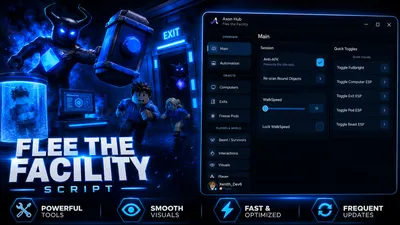
Axon Hub — Flee the Facility Script | ESP, Auto Hack & Fly
Script
Copy this and run it in your executor.getgenv().Provider = "rscript"
loadstring(game:HttpGet("https://api.luarmor.net/files/v3/loaders/97c3f6db55a2cf72141537a85458e5a7.lua"))()- 1Hit Copy on the box above.
- 2Open your Roblox executor and join the game.
- 3Paste the script and press Execute.
- 4Grab a key from the key system if prompted.
Axon Hub — Flee the Facility Script 🏃
🔦Solve computers automatically, open and escape exits, free captured teammates, see everything through walls, and survive the Beast with Axon Hub for Flee the Facility. This script includes auto computer solving with skill-check auto-win, auto exit + escape, auto free teammates, auto doors, a full ESP suite, a beast proximity warning, spectate tools, teleports, fly, noclip and a clean UI with saved configurations.Axon Hub is built for Flee the Facility players who want powerful automation and visuals while keeping everything simple, fast, and easy to control.
🛠️ Main Features
🤖 Automation
- Auto Solve Computers (auto-wins every skill-check)
- Auto Open & Escape Exit (after all computers are done)
- Auto Free Captured Teammates
- Auto Open Nearby Doors
- Auto Teleport To Target
- Adjustable loop delay & max hold per computer
- Auto door range slider
🖥️ Computers
- Computer ESP with solved / unsolved colors
- Teleport near nearest or chosen computer
- Solve nearest computer instantly
🚪 Exits
- Exit ESP with open / locked state
- Teleport near nearest or chosen exit
- Open nearest exit
❄️ Freeze Pods
- Freeze Pod ESP (frozen / empty state)
- Shows which teammate is captured
- Teleport near any pod
- Free nearest captured teammate
👹 Beast & Survivors
- Beast proximity warning with custom distance
- Beast & Survivor highlights
- Spectate (camera) with next / previous / stop
- Copy player name or User
- Id
- Live player list
👁️ ESP & Visuals
- Player, Beast, Survivor, Computer, Exit, Pod, Door & Vent ESPNames, distance, fill & outline transparency
- Adjustable max distance & refresh rate
- Per-category colors + global highlight override
- Fullbright & No Fog
🧍 Player
- Walk
- Speed & Jump
- Power sliders + locks
- Fly with adjustable speed (WASD / Space / Ctrl)
- Noclip
- Sit / Stand
- Save & return to position
- Reset character
🤚 Interactions
- Open nearest door / exit
- Free nearest teammate
- Hold Crawl (for vents)
- Fire lobby prompts & click detectors
⚙️ Settings
- Config save/load system
- Interface settings
- Rejoin & Server Hop
- Re-scan game data
- Clean Axon Hub UIRight
- Shift to toggle menu
📋 How to UseCopy the script from the Script tab.Open your Roblox executor.Join Flee the Facility 🔦.Paste and execute the script.Press RightShift to toggle the UI.Enable the features you want, such as ESP, Auto Solve Computers, Auto Exit, Auto Free, Beast Warning, Fly or Noclip.
⚠️ NotesClient visuals (ESP, Fullbright, No Fog, Beast warning) are safe and on by default.Match-affecting automation (Auto Solve, Auto Exit, Auto Free, Auto Door) and movement cheats (Fly, Noclip) default to OFF — they affect live matches, so use them on private servers or where you have permission.Auto Solve reports a win the moment a skill-check appears, instantly completing it.Auto Teleport moves you next to each target so the server accepts the interaction.Spectate is camera-only and does not affect gameplay.